The digital world has transformed how children learn, communicate, and entertain themselves. Smartphones, tablets, gaming consoles, smart TVs, and social media platforms are now a regular part of everyday life. While technology provides countless educational opportunities, it also introduces serious risks that many parents struggle to manage.
From inappropriate content and cyberbullying to online predators and excessive screen time, modern parents face challenges that previous generations never encountered. This is why parental control software has become one of the most valuable digital parenting tools available today.
Parental control software empowers parents to monitor online activity, establish healthy digital boundaries, filter harmful content, and ensure children develop responsible internet habits. As children spend increasing amounts of time online, the demand for advanced monitoring and protection solutions continues to grow.
In this comprehensive guide, you’ll learn everything about parental control software, including its features, benefits, setup process, security considerations, and how to choose the best solution for your family’s needs.
What Is Parental Control Software?
Parental control software is a technology solution that helps parents supervise, manage, and restrict children’s digital activities across various devices.
The software can be installed on:
- Smartphones
- Tablets
- Computers
- Gaming consoles
- Smart TVs
- Internet routers
Its primary purpose is to create a safer online environment by allowing parents to:
- Monitor online behavior
- Block inappropriate websites
- Manage screen time
- Track location
- Restrict app access
- Receive safety alerts
Modern parental control platforms utilize artificial intelligence, machine learning, and cloud-based monitoring to provide real-time protection against evolving online threats.
Why Online Safety Matters More Than Ever
Children today are often exposed to the internet before they learn basic online safety principles. This early access creates opportunities but also introduces significant risks.
Some of the biggest threats include:
Exposure to Inappropriate Content
Millions of websites contain material unsuitable for children. Even innocent searches can sometimes produce harmful results.
Potential exposures include:
- Adult content
- Violence
- Gambling websites
- Hate speech
- Drug-related content
Parental control software acts as a digital gatekeeper by filtering dangerous content before children can access it.
Cyberbullying
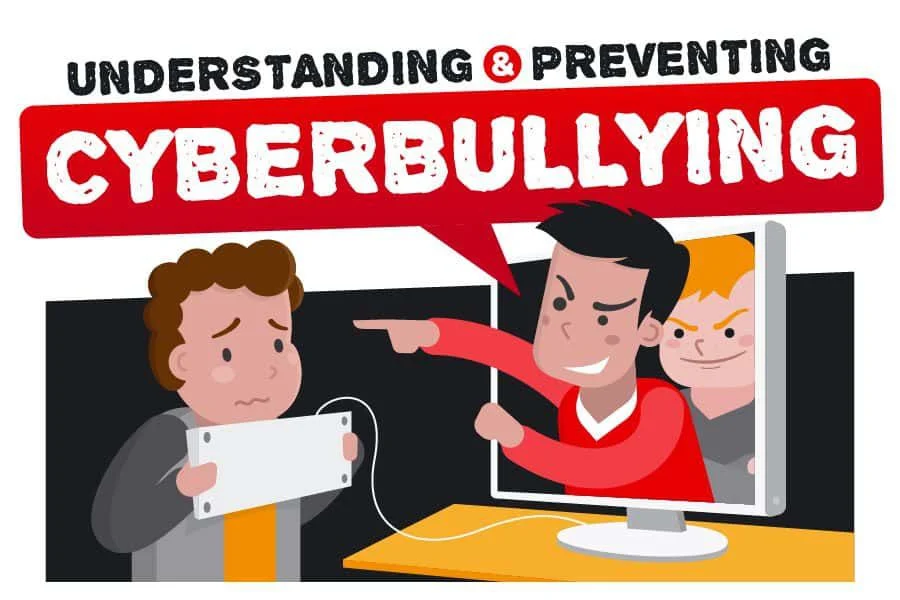
Cyberbullying has become a major concern worldwide.
Unlike traditional bullying, online harassment can occur 24 hours a day through:
- Social media
- Messaging apps
- Online gaming platforms
- Discussion forums
Children experiencing cyberbullying often suffer from:
- Anxiety
- Depression
- Low self-esteem
- Academic difficulties
Advanced parental monitoring tools can identify warning signs and alert parents before situations escalate.
Online Predators
Predators often target children through:
- Social media platforms
- Gaming communities
- Chat applications
- Video-sharing platforms
Parental control software helps detect suspicious communications and prevents dangerous interactions.
Screen Addiction
Many children spend several hours daily using digital devices.
Excessive screen time can contribute to:
- Sleep disruption
- Reduced physical activity
- Poor academic performance
- Social isolation
- Mental health concerns
Screen time management features encourage healthier digital habits.
How Parental Control Software Works
Most parental control solutions operate through a combination of monitoring, filtering, and reporting systems.
Monitoring
The software records activity such as:
- Websites visited
- Search terms used
- App activity
- Device usage duration
- Location information
Filtering
Filtering systems automatically block harmful content based on predefined categories.
Reporting
Parents receive detailed activity reports through dashboards or mobile apps.
Alerts
Real-time notifications inform parents about:
- Suspicious searches
- Unsafe websites
- Cyberbullying indicators
- Attempts to bypass restrictions
Essential Features of Modern Parental Control Software
Screen Time Management
Screen time management remains one of the most valuable parental control features.
Parents can:
- Set daily limits
- Schedule device downtime
- Create homework hours
- Enforce bedtime restrictions
Benefits include:
- Better sleep quality
- Improved academic focus
- Increased family interaction
- Reduced digital dependency
Website Filtering
Website filtering prevents access to inappropriate online content.
Categories commonly blocked include:
- Adult content
- Violence
- Gambling
- Illegal downloads
- Malware-infected websites
Advanced filters update continuously to address emerging threats.
Application Management
Children often download apps without understanding privacy risks.
Application controls allow parents to:
- Approve installations
- Block specific apps
- Restrict purchases
- Monitor usage patterns
This feature is particularly useful for managing social media and gaming applications.
Social Media Monitoring
Social media monitoring has become increasingly important due to the popularity of platforms such as Instagram, TikTok, Snapchat, and messaging apps.
Monitoring tools can identify:
- Harassment
- Explicit content
- Risky conversations
- Stranger interactions
- Potential grooming behavior
Parents receive alerts when concerning activity is detected.
Location Tracking
GPS tracking helps parents ensure physical safety.
Capabilities include:
- Real-time location monitoring
- Geofencing
- Arrival notifications
- Travel history review
These tools provide peace of mind when children travel independently.
Content Monitoring Powered by AI
Artificial intelligence has significantly improved parental control software.
AI systems can analyze:
- Text messages
- Search behavior
- Social interactions
- Behavioral patterns
They can detect potential risks before they become serious problems.
Benefits of Using Parental Control Software
Safer Internet Browsing
Children can explore educational resources while remaining protected from dangerous content.
Improved Digital Wellness
Healthy screen habits support emotional, social, and physical development.
Better Academic Performance
Limiting distractions often leads to improved concentration and study habits.
Increased Family Trust
When used transparently, parental controls create opportunities for productive conversations about technology use.
Reduced Security Risks
Children become less vulnerable to scams, phishing attacks, malware, and identity theft.
Types of Parental Control Software
Device-Based Controls
Installed directly on smartphones, tablets, or computers.
Advantages
- Detailed monitoring
- App-specific controls
- Comprehensive reporting
Disadvantages
- Requires installation on each device
Router-Based Controls
Configured at the home network level.
Advantages
- Protects all connected devices
- Easier centralized management
Disadvantages
- Limited monitoring outside home networks
Cloud-Based Solutions
Managed through online dashboards.
Advantages
- Remote management
- Real-time updates
- Cross-platform support
Disadvantages
- Subscription costs
How to Choose the Best Parental Control Software
Selecting the right software depends on your family’s needs.
Important factors include:
Device Compatibility
Ensure support for:
- Android
- iPhone
- Windows
- Mac
- Gaming systems
Security Standards
Look for:
- Strong encryption
- Secure data storage
- Privacy compliance
- Regular updates
Ease of Use
Complicated interfaces often discourage consistent use.
Choose software with intuitive dashboards and simple controls.
Customer Support
Reliable support can save significant time when troubleshooting issues.
Common Challenges Parents Face
Many parents struggle with balancing safety and privacy.
Common concerns include:
- Monitoring without invading trust
- Managing multiple devices
- Keeping up with new apps
- Understanding digital risks
Parental control software should complement communication, not replace it.
Future Trends in Parental Control Technology
The future of parental control software is being shaped by:
- Artificial intelligence
- Predictive threat analysis
- Advanced social media monitoring
- Voice assistant integration
- Smart home connectivity
- Behavioral risk scoring
These innovations will provide more proactive and personalized protection.
Frequently Asked Questions
Is parental control software legal?
Yes. Parents generally have the legal right to monitor devices owned by their minor children.
Can children bypass parental controls?
Some technically skilled children may attempt to bypass restrictions. Premium software continuously updates security measures to reduce this risk.
Does parental control software slow devices?
Modern applications are optimized for performance and typically have minimal impact.
Is free parental control software enough?
Free tools can provide basic protection, but premium solutions often offer superior monitoring, reporting, and security features.
What age should parental controls be used?
Parental controls can be useful from the moment children begin using internet-connected devices and can be adjusted as they mature.
Final Thoughts
Parental control software has evolved from simple website blockers into sophisticated family safety platforms powered by artificial intelligence and real-time monitoring. As children spend more time online, the need for comprehensive digital protection continues to increase.
By combining screen time management, content filtering, app monitoring, location tracking, and cyberbullying detection, parental control software helps families create a safer and healthier relationship with technology.
The most effective strategy is to combine technology with education, communication, and trust. When used responsibly, parental control software becomes a valuable partner in raising digitally responsible children while giving parents confidence that their family is protected in an increasingly connected world.
Comprehensive 2026 Buyer’s Guide & Additional Insights: Parental Control Software: The Ultimate 2026 Guide to Protecting Children Online
As the digital landscape evolves, staying informed about parental control software: the ultimate 2026 guide to protecting children online is more critical than ever. Families across the globe are facing unprecedented challenges in managing digital safety, screen time, and psychological well-being. Whether you are dealing with toddlers discovering tablets or teenagers navigating complex social media ecosystems, relying on outdated strategies is no longer sufficient.
Why Premium Solutions Matter
Many parents attempt to solve modern digital problems using free, built-in operating system controls. However, these tools are often inadequate against tech-savvy minors and sophisticated algorithms. When addressing parental control software: the ultimate 2026 guide to protecting children online, investing in enterprise-grade family network security and premium software suites provides a unified, impenetrable defense.
Free tools typically lack deep packet inspection, real-time cyberbullying detection, and comprehensive dark web scanning. Furthermore, some free applications monetize their services by harvesting your family’s behavioral data, directly contradicting your privacy goals.
Top Industry Recommendations
| Recommended Service | Key Benefit | Average Cost |
|---|---|---|
| Aura Family Plan | Unmatched all-in-one protection combining antivirus, VPN, parental controls, and identity theft insurance. | $144/year |
| Norton 360 Deluxe | Industry-standard rapid threat detection and million-dollar stolen funds reimbursement. | $180/year |
| Bark Premium | The absolute best AI-driven social media monitoring for detecting digital threats. | $99/year |
When you evaluate the costs associated with these premium tools, you must factor in the invaluable peace of mind they provide. The financial and emotional toll of a compromised identity or unmonitored digital access far outweighs a nominal annual subscription fee.
Explore Related Resources
For a comprehensive overview of how to protect your family in 2026, be sure to read our Ultimate Guide to Digital Parenting.
Additionally, check out these related articles to further secure your household:
- Preparing Your Autistic Child for Entry to School: An Ultimate Guide
- Family Cyber Security: The Complete Guide to Protecting Your Family in the Digital Age
- 5 Key Differences Between Traditional Parenting and Modern Parenting
